
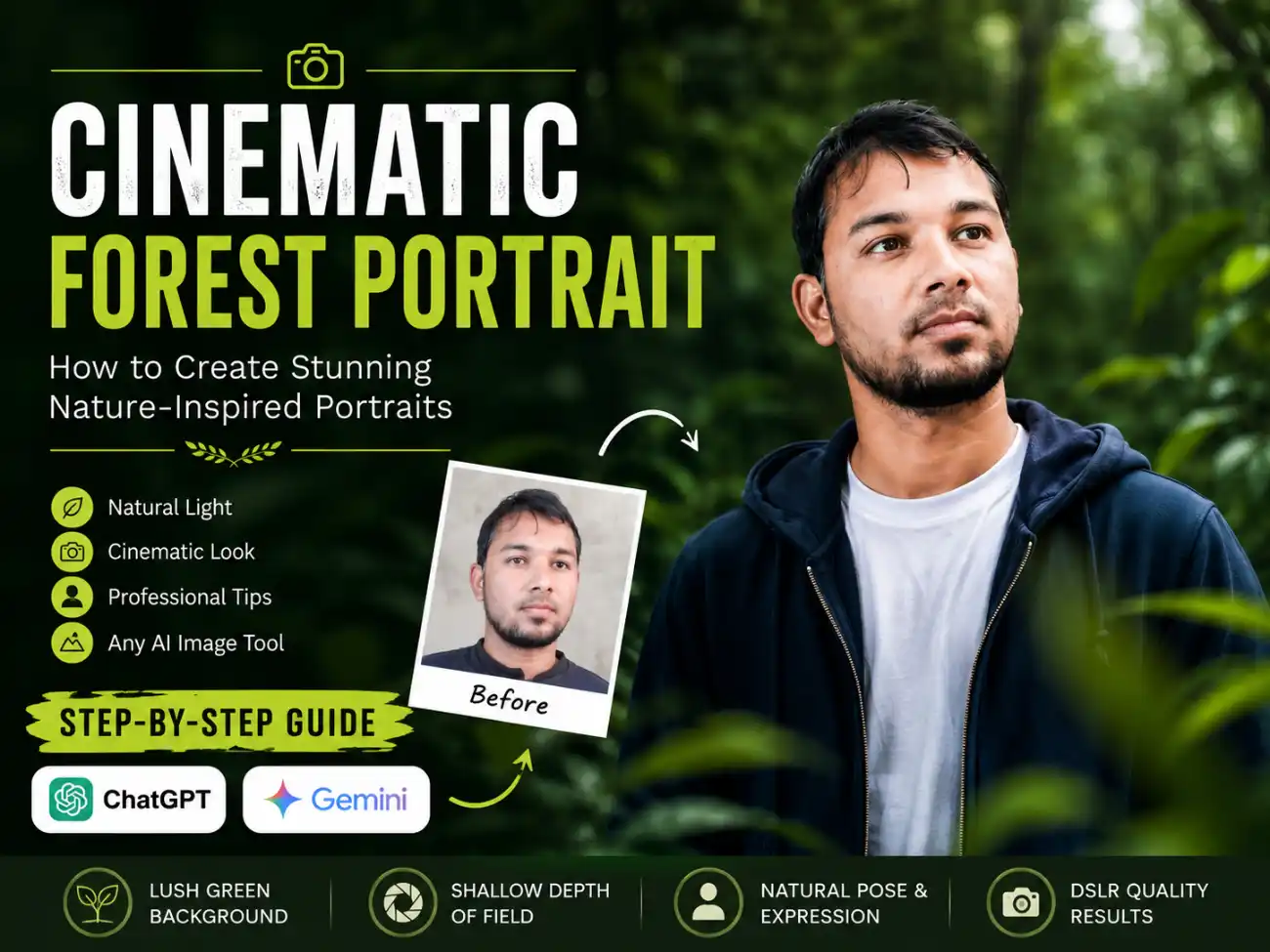
A cinematic forest portrait prompt is more than just a photograph—it tells a story through natural light, lush greenery, and authentic expressions. In recent years, cinematic outdoor portraits have become one of the biggest photography trends on Instagram, Pinterest, and other social media platforms. Instead of using artificial studio backgrounds, photographers now prefer forests, parks, and natural landscapes to create images that feel calm, realistic, and visually striking.
The portrait above perfectly captures this growing trend. Surrounded by vibrant green foliage and soft natural lighting, the image creates a peaceful atmosphere while keeping the subject as the center of attention. The shallow depth of field adds a professional touch by softly blurring the background and highlighting facial details.
Why Forest Portrait Prompt Looks So Appealing
Nature provides one of the best backgrounds for portrait photography. The rich green colors create a pleasing contrast with the subject’s clothing and skin tones, making the overall composition look balanced and elegant.
Unlike crowded urban locations, forests offer a clean, distraction-free environment where the viewer’s attention naturally stays on the person. The soft leaves in the foreground also create depth, giving the image a premium cinematic feel that is difficult to achieve indoors.
Forest Portrait Prompt

The Importance of Natural Lighting
Lighting plays the biggest role in creating a realistic portrait. This image uses soft overcast daylight, which helps produce smooth shadows and even skin tones without harsh highlights.
Professional photographers often choose cloudy weather or shaded forest areas because the light becomes naturally diffused. This allows facial features to appear more detailed while maintaining a soft, flattering appearance.
Camera Settings Behind the Look
A professional cinematic portrait is usually captured using an 85mm portrait lens with a wide aperture such as f/1.4 or f/1.8. These settings create a beautiful background blur while keeping the eyes perfectly sharp.
Other commonly used settings include:
- ISO 100 for maximum image quality.
- Fast shutter speed to keep the subject sharp.
- Eye autofocus for precise facial detail.
- RAW image format for better color grading during editing.
These techniques help photographers achieve the premium DSLR-style appearance that many people admire.
Styling Makes a Difference
Simple clothing often works best for outdoor portraits. In this image, the navy blue hoodie paired with a plain white t-shirt creates a clean, timeless look without distracting from the natural surroundings.
Minimal styling allows the forest environment to complement the portrait instead of competing with it. Neutral colors also make the final image suitable for social media profiles, personal branding, blogs, and professional portfolios.
Why Cinematic Portraits Are Trending
People today want photographs that look authentic rather than overly edited. Cinematic portraits combine realistic colors, natural emotions, and artistic composition to create images that feel both professional and personal.
Whether you’re building a personal brand, updating your profile picture, or simply preserving memories, a forest portrait offers a timeless style that never goes out of fashion. The combination of soft lighting, lush greenery, and thoughtful composition creates an image that tells a story without needing words.
If you’re planning your next photoshoot, choosing a peaceful outdoor location with natural light can help you achieve a cinematic portrait that looks elegant, realistic, and memorable for years to come.
How to Use This Prompt
Creating a cinematic AI portrait is quick and easy. Just follow these simple steps:
- Step 1: Open ChatGPT Images or Google Gemini.
- Step 2: Upload the reference photo that you want to transform. For the best results, make sure the face is clearly visible, well-lit, and not blurry.
- Step 3: Copy the prompt provided in this article.
- Step 4: Paste the prompt into ChatGPT or Gemini after uploading your reference image.
- Step 5: Click Generate (or Create) and wait a few moments while the AI processes the image.
- Step 6: Your ultra-realistic cinematic forest portrait will be ready in just a few seconds, while preserving your facial identity and recreating the same professional photography style.
Pro Tip: For the most accurate face matching, use a high-resolution front-facing photo with good lighting, no sunglasses, no face covering, and minimal filters. This helps the AI preserve your identity more accurately and produce a more realistic cinematic portrait.